Sunday, January 26, 2014

Arrange iOS 7 Home Screen App Icons Any Way You Like With HomeScreenDesigner

11:43 AM
Customizing the user-interface of an iOS device is extremely popular in the jailbreak community. Sure, plenty of us liberate our devices with the intention of downloading and applying one or two tweaks that offer essential system improvements, but as time progresses, more and more users are starting to overhaul the UI as their first task.
The jailbreak community has always had tried and tested methods of creating and applying interesting and unique layouts for app icons, but none have been as easy to use and offer as much power and customization as the HomeScreenDesigner package that is available in Cydia.


HomeScreenDesigner-splash

HomeScreenDesigner package comes directly from the mind that originally developed the Iconoclasm Layout Maker, so we immediately know that it’ll be an extremely well polished piece of work. The experience provided by his previous tool has been rewritten from the ground up to concentrate purely on iOS 7 users and offers the ability to create, save and apply icon layouts instantly as well as upload a chosen layout to the community for others to enjoy and take advantage of. After a symmetrical layout on your device? More of a free-form layout kind of user? No problem, both are simple and quick to create.

HomeScreenDesigner-screens-1

The tool is built around a simple drag and drop interface that allows the icons to be placed in the exact desired positions. The developer has also had the foresight to preempt quite a few issues or desires that might arise from users, and has bundled a number of time-saving features in the package such as swapping the location of two icons, and being able to set exact co-ordinates of each icon. Existing layouts can be modified with relative ease as well as actually being able to create individual home screen layouts on a per page basis. If the device has four home screens of icons then each one can have a different layout.

photo-16

The level of thought and polish that has gone into making this package is commendable. The fact that users don’t need to edit their own property lists or even respring to apply the layouts makes this package worth the money.
photo ios 7

HomeScreenDesigner is a commercial package, available as a $1.99 download from the BigBoss repository. The tweak is compatible with the iPhone, iPad and iPod touch and requires iOS 7.0 or higher.
For tutorials on how-to jailbreak, check out:

Jailbreak iOS 7 – 7.0.4 Untethered On iPhone 5s, 5c, 5, 4s And More With Evasi0n 7

11:05 AM
As you might already know by now, Evasi0n 7 iOS 7 – 7.0.4 jailbreak is out already. Here you can find a complete tutorial on how to jailbreak iOS 7 through iOS 7.0.4 on all the supported iPhone and iPod touch devices.
Please read everything carefully before proceeding with the jailbreak.

iOS-7-untethered

Supported Devices:
As mentioned in the previous post, all iOS devices are supported, including the latest iPhone 5s and iPhone 5c. Apple TV though is not supported yet.
Supported iOS version:
  • 7.0
  • 7.0.1
  • 7.0.2
  • 7.0.3
  • 7.0.4
Requirements:
  • The latest version of iTunes must be installed on your Windows PC or Mac. Download iTunes 11.1.3 from here.
  • It is highly recommended you Restore to the latest iOS 7.0.4 on your device through iTunes (NOT OTA) before running Evasi0n 7. Download iOS 7.0.4 from here.
  • Make sure there is no lock screen passcode or Touch ID set on your iOS device. You can disable Passcode lock from: Settings –> General –> Touch ID & Passcode –> Turn Passcode Off
  • Backup your data to either iCloud or your PC via iTunes before jailbreaking.
How-to jailbreak iOS 7 / 7.0.4 (instructions + video tutorial):
Step 1: Download iOS 7 – 7.0.4 Jailbreak Evasi0n 7 for Windows or Mac.
Step 2: Connect your iOS device to your computer and start Evasi0n 7.
Step 3: Now click on “Jailbreak” button to start the process.

evasi0n-71

Evasi0n will now perform the jailbreak in a series of automated steps. Just sit back and don’t do anything silly. Allow it to complete the process. It may take a few minutes to complete.
Step 4: Once done, Evasi0n will inform you that you need to unlock your device and tap the new ‘evasi0n 7’ app icon found on the home screen of your device to continue. Tap the app icon and keep your device connected, it will automatically restart.
Step 5: Once the reboot is complete, Evasi0n will continue to apply final touches before asking you to unlock your device again. Once you unlock it, it will reboot again, followed by ‘Done!’ screen.
Step 6: Cydia should now be on your iOS device home screen. Quit the Evasi0n 7 application, disconnect your device from your computer and start Cydia!
iOS-7.0.4-jailbreak-cydia-21


iOS-7.0.4-jailbreak-cydia-1222

That’s it! Happy jailbreaking!

iOS 7.0.4 Download For iPhone 5s, 5c, 5, 4s, 4, iPad, iPod touch Is Out! [Direct Links]

10:53 AM
Apple has just made available iOS 7.0.4 download links for compatible iPhone, iPad and iPod touch devices. Apple’s new iOS 7 mobile operating system seems to have gone down well so far with users, and after a couple of minor updates amending a couple of early teething issues and security holes, the Cupertino has today delivered yet another update. You can catch the full change log, as well as the download details, right after the break.
After the release of iOS 7.0.3 some weeks ago, a follow-up was widely expected in the form of iOS 7.0.4 or 7.1.

ios-704-iphone-ipad-ipod


As per usual, there’s a dose of bug fixes, performance enhancements, and general housekeeping updates. Thus, if you’ve been experiencing any issues with your device, it’s highly recommended you go ahead and update immediately. Of course, even if you’ve not encountered any problems, it’s always best to run the latest version, since even if the aforementioned changes aren’t exactly overwhelming, the most recent release tends almost always to be the least susceptible to bugs.
Official changelog for 7.0.4 from Apple states:
Bug fixes and improvements, including a fix for an issue that causes FaceTime calls to fail for some users.
iOS-Screenshot-20131114-230823-01


In fact, the only instance in which we would recommend holding off this release for now is for the purpose of a jailbreak — at least until we get some kind of clarification from an experienced hacker or developer. We already know that every version up to iOS 7.0.3 has been safe to update to for those holding out hope of a future untethered jailbreak, and so before you go ahead and push to iOS 7.0.4, just wait for the follow-up post that will confirm either way.
Each iOS 7-compliant device can be updated to iOS 7.0.4. This ranges from the iPad 2 and up, iPhone 4 and newer, as well as the fifth-generation iPod touch.


iOS 7.0.4 Download Links:
Update x1: Apple has also released iOS 6.1.5 for iPod touch 4th-gen with fix for FaceTime issue.

Download Evasi0n iOS 7 – 7.0.4 Jailbreak For iPhone 5s, 5c, 5, iPad, iPod touch [Windows / Mac]

10:49 AM
Surprise surprise. This is just in. Team Evad3rs has just released untethered Evasi0n iOS 7 – 7.0.4 jailbreak for the latest iPhone, iPad and iPod touch devices.
Available for both Windows and Mac users, Evasi0n iOS 7 jailbreak works on all iPhone, iPad and iPod touch models running iOS 7.0, 7.0.1, 7.0.2, 7.0.3 and 7.0.4.
iOS-7-jailbreak-iPhone
This includes:
  • iPhone 5s
  • iPhone 5c
  • iPhone 5
  • iPhone 4S
  • iPhone 4
  • iPad 2
  • iPad 3
  • iPad 4
  • iPad Air
  • iPad mini
  • iPad mini 2
  • iPod touch 5
We will be back with full how-to tutorials. Those of you who want to jailbreak right away can do so by downloading Evasi0n from official website at Evasi0n.com or through the links given below.

ios7-jailbreak


evasi0n-ios-7-jailbreak


Download Evasi0n for Windows
Download Evasi0n for Mac
Update x1: This release has also caught Saurik, the founder of Cydia, by surprise. He has clarified it on Twitter that the Cydia build included in version 1.0 of Evasi0n 7 isn’t official, and hence will be prone to bugs. Tweaks relying on Substrate will have issues with this early release of Evasi0n. This issue will be fixed in later versions of Evasi0n 7.
Update x2: Evasi0n 7 is also compatible to work with iOS 7.1 beta 2.
Update x3: Our full step by step video tutorial is up and embedded below! For full written instructions,
Update x4: Make sure you check out: List of iOS 7 Compatible Jailbreak Tweaks And Apps In Cydia.
Update x5: Evasi0n has been updated to version 1.0.1, removing the TaiG App Store completely. The download links above have been updated.
Update x6: Evasi0n 7.x Untether 0.2 update now available on Cydia, bringing Evasi0n 1.0.1 features to Evasi0n 1.0 users.
Update x7: Download links for Evasi0n embedded above have been updated to the latest version 1.0.2. This version adds fix for iPad 2 stuck at boot loop issue.
Update x8: Apple released iOS 7.1 beta 3 recently. Fortunately, the exploits used in Evasi0n7 still work on the latest beta of iOS 7.1. An unofficial version of Evasi0n7 is now available that lets you jailbreak iOS 7.1 beta 3 untethered on all the devices.
Update x9: Evasi0n 1.0.4 is out with important security patches related to untether, as well as a fix for reboot loop issue on Retina iPad mini. The download links of Evasi0n above have been updated.

Download iTunes 11.1.3 For OS X And Windows: Features Equalizer Fixes And Other Improvements

10:46 AM
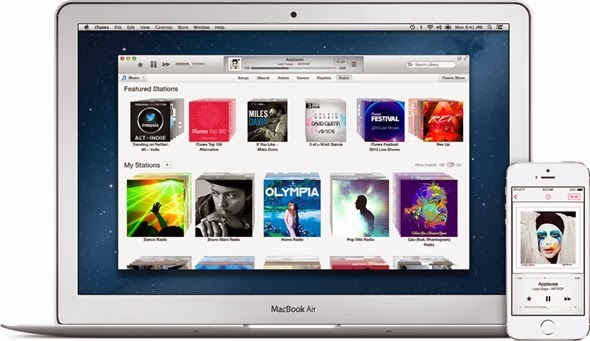
Apple has today updated their iTunes software to version 11.1.3. The latest iTunes release from the Cupertino giant is an attempt to fix a number of niggling and ongoing bugs that were introduced as part of the last iteration of the software. Version 11.1.3 follows hot on the heels of the refresh to version 4.0 of Apple’s Remote app for iOS that has been refactored to work in perfect sync with iTunes 11.1.
iTunes users have been continuously filing bug reports with Apple since version 11.1 went live. The official change log that accompanies today’s release suggests that Apple has fixed a number of those reported problems including issuing a remedy for instances where the equalizer may not function exactly as the user would expect it to. The iTunes engineering team has also provided code fixes that dramatically increase the experience received when switching views with large iTunes libraries.

iTunes

iTunes 11.1.3 compliments the previous update of Apple’s popular OS X and Windows software that brought with it native support for OS X Mavericks as well as a number of language localizations. The update is nicely rounded off with the obligatory bug fixes and general improvements that seem to be present when any piece of mobile or desktop software is updated. At the time of writing, the update was still propagating through the Mac App Store servers in a number of territories but was showing up in the United States and various European stores. And some of our readers have also reported that the update is showing up for them in several different regions.
The iTunes 11.1.3 update isn’t really anything to sing and dance about and represents only a number of minor changes. However, if you are one of the many users affected by the resolved issues then it’s likely this will be a welcome installation. Ensuring total compatibility with OS X Mavericks has obviously been a priority for Apple in recent times. The pushing out of version iTunes 11.1.2 and the recent upgrade of the first-party Remote app shows that the Californian giants are still committed to giving the best possible experience to iOS device owners.
Affected users can grab the latest version from the Updates section within the Mac App Store, and Windows users can update using the Apple Software Update utility.
Apple Software Update
 

emobilescommunity.blogspot.com

Toggle Footer