Thursday, January 30, 2014

NBA JAM by EA SPORTS™ v02.00.14

2:50 PM
NBA JAM by EA SPORTS™ v02.00.14
Requirements: 2.2 and up
Overview: Jam with your favorite stars from all 30 NBA teams in over-the-top, high-flying, 2-on-2 arcade basketball just like you remember it – and like you’ve never seen before!
NBA JAM by EA SPORTS™ v02.00.14
** NBA JAM is a larger-than-life game (300MB+), so we strongly recommend connecting to WiFi before downloading. Trust us, this Jam is worth the wait.**
PLAY NOW! PLAY CLASSIC! PLAY HEAD-TO-HEAD AGAINST A FRIEND!
3 modes of play let you ball the way you want:
• Play Now – Select a team and jump right into the ballgame.
• Classic Campaign – Defeat all other teams to win the championship, and unlock legends, hidden players, and outrageous cheats.
• Local Multiplayer – Go big head 2 big head against a friend via local WiFi or Bluetooth
YOU’RE ON FIRE – ON ANDROID!
If you’re from the Old School, you’ll feel the ‘90s nostalgia while you play the hottest arcade sports game on the Android Market. Featuring the voice of Tim Kitzrow (the original NBA JAM play-by-play announcer), you’ll hear all the classic catchphrases plus a few new ones. This JAM is all about “boomshakalaka”- and beyond!
Go to the hole. Go strong. Go for the monster jam. KABOOM!
What's New
SLAM DUNK with updated rosters for your favorite NBA teams! Join the game with expanded support for more Android devices including Nexus 5, Nexus 7, and Samsung Galaxy S4. Also, we’ve heard your feedback and made some improvements to make your game run smoother.
More Info:
Code:
https://play.google.com/store/apps/details?id=com.eamobile.nbajam_row_wf

Download Instructions: credit: Morthis
https://www.filemonkey.in/file/k8g0vwfv5z5v3gu2
nbajam.apk.obb.zip (330,05 MB) - uploaded.net
Download nbajam apk obb zip
data copy to android/data or download via Wifi

House of the Dead Overkill: LR v1.33

2:49 PM
House of the Dead Overkill: LR v1.33
Requirements: 2.3.3+
Overview: You thought it was over… but we've found the Lost Reels.
House of the Dead Overkill: LR v1.33
You thought it was over… but we've found the Lost Reels.
Join the original cast and blast your way through remixed worlds from The House of the Dead Overkill™. Play in Survival or Story Mode and mow down waves of infected, blood-thirsty mutants in this b-style arcade shooter.
DISCOVER THE LOST REELS
▪ Experience 3 goregasmic worlds full of carnage in Story Mode. In Papa’s Palace of Pain, Ballistic Trauma, and Naked Terror, you’ll be screaming ‘til your last breath.
DISMEMBER UTTERLY DISGUSTING MUTANTS
▪ Enjoy non-stop shooting action as you blow apart mutants for high-score thrills. See how long you can hold off the swarms of undead in Survival Mode.
REJOIN THE ORIGINAL CAST
▪ Isaac Washington: a hard-drinking ladies’ man who deals damage in droves.
▪ Agent G: an inexperienced but deadly assassin who keeps a steady hand under pressure.
▪ Varla Guns: the hottest stripper on the Bayou City club scene who enjoys the largest clip.
▪ Candi Stryper: an expert with her hands who knows how to reload.
FINGERBLAST ON THE GO
▪ Obliterate mutants with one of three control mechanisms optimized for your mobile device – Accelerometer, Virtual Pad and Frenzy Tap (unlockable)
UPGRADE YOUR ARSENAL
▪ Destroy mutants to earn Ka$h, the in-game currency, and upgrade your pistol to something that really blasts through flesh.
▪ Enhance your killing prowess with combo extenders, reload boosters, and other game-changing upgrades.
Play HOUSE OF THE DEAD OVERKILL: LR on your big screen TV with MHL. Visit MHL® for more information.
More info:
https://play.google.com/store/apps/d...m.sega.hodoklr
Download:
Apk+Obb - Zippyshare.com - House of the Dead Overkill LR v1.33 Cracked.rar
Instructions:
Install APK
Copy 'com.sega.hodoklr' folder to Android/obb
Enjoy

Popular Android Keyboard SwiftKey finally comes to iOS as a Note-taking app

2:46 PM
As expected, SwiftKey, the developers of the popular Android keyboard have just released a note taking app for iOS called SwiftKey Note.
Since SwiftKey cannot release a standalone keyboard app in the App Store due to limitations of iOS, it has been forced to release a note-taking app.
swiftkeynote
The app offers several features for faster note taking such as SwiftKey’s award wining predictive technology that intelligently autocorrects words as you type and offers personalized predictions.
It also allows you to connect to your Evernote account, so SwiftKey’s autocorrect can learn how you write based on your archive. It also allows you to take a backup of your notes to Evernote.
You can also format the text by swiping left on the suggestion bar to access formatting options including Bold, Italic, Underline, Indent and Bullet Points.
You can also get analysis of your productivity including efficiency, keystrokes saved, typos corrected, words predicted and words completed.
Unfortunately, due to the limitation of iOS’ you won’t be able to swipe on the keyboard like the Android keyboard, you will have to tap on it like the iOS keyboard, and it will display three recommended words as you type. To accept a prediction, simply tap on it.
When you launch the app for the first time, it will offer an interactive tutorial to walk you through SwiftKey’s prediction technology.
SwiftKey is available for free on the App Store. You can download it using this direct iTunes link.

PSA: Jailbreak apps and tweaks relying on MobileSubstrate may have issues with evasi0n7 on iOS 7

2:31 PM
The evad3rs team took everyone by surprise with the release of evasi0n7 jailbreak for iOS 7, including the creator of Cydia, Jay Freeman aka saurik. This means tweaks relying on mobilesubstrate could have issues with the new jailbreak.
Freeman complained that he was not given early builds of evasi0n, so he couldn’t ensure MobileSubstrate was working fine. He also said that he wasn’t asked for an official Cydia build for iOS 7, and the Cydia build included in evasi0n is “unofficial.”
pod2g, member of the evad3rs team said that they’re working on a fix for the MobileSubstrate related issues, which could be delivered as a 1.x update to evasi0n7.


Most jailbreak apps rely on MobileSubstrate to tweak system functions, so this could make the first version of evasi0n disappointing for many people who would want to change the way iOS 7 looks or functions. Hopefully, a fix is released soon.

Stuck at Apple logo after using evasi0n7? Here’s How to Fix it

2:22 PM
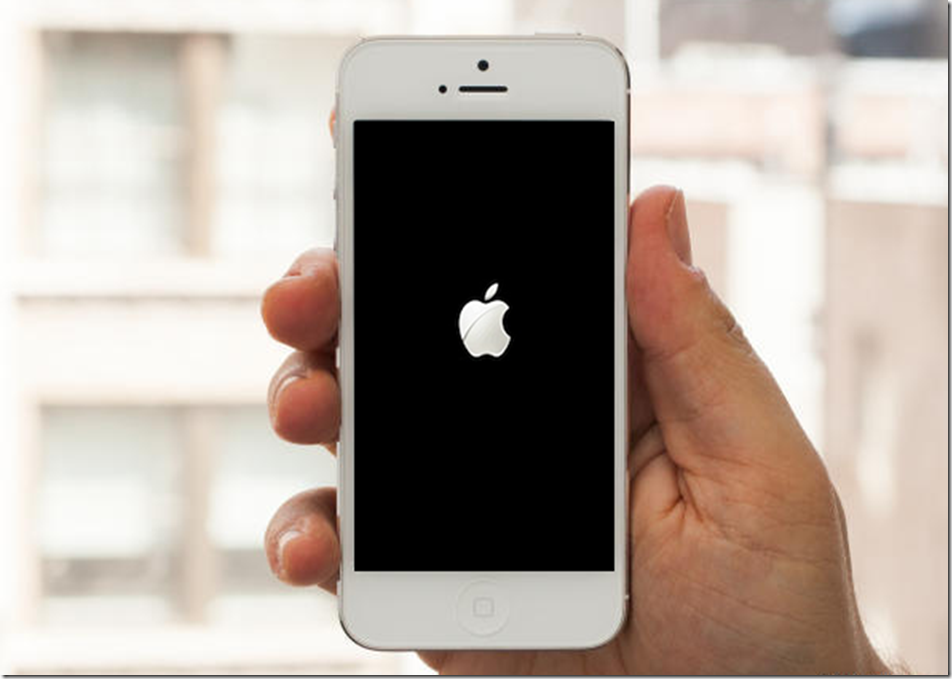
If you’ve tried to jailbreak your iPhone, iPad or iPod touch on iOS 7 with evasi0n7, and your device is stuck at the Apple logo for a very long time, then here’s a step-by-step guide on how to recover from it.
iphone_apple_logo
To recover from the problem, you need to put your iOS device in recovery mode so that you can use iTunes to restore the device.
Important warning: This method takes into consideration that you had backed up your device with iTunes or in iCloud. If you did not backup your device, and want to avoid losing your data then you may want to try this method as some users have said that it worked for them. We haven’t tried it, so we can’t confirm if it works. Please do drop us a line in the comments if it works.


How to restore device using Recovery mode:
  • The first thing you need to do is turn off your device. This can get tricky when you device is stuck at the Apple logo as you can’t press and hold the Sleep/Wake (Power) button and then swipe on the slide to power off button to turn it off. So please follow the instructions carefully. Press the Home and Sleep/Wake (Power) button simultaneously. You will see the Apple logo go off.
  • After a few moments, you will see the Apple logo again. Now release the Home and Sleep/Wake button. Then quickly press the Home and hold the Sleep/Wake (Power) buttons again. Hold them till the device turns off.
  • Plug the device’s USB cable into your computer only. Note: Do not connect the USB cable to your iOS device just yet.
  • Now hold down on the Home button, and connect the USB cable to your iOS device.
  • When you see the Connect to iTunes screen, release the Home button. If you don’t see this screen, try again.
connect_to_itunes

  • iTunes will launch, and prompt you the following message: “iTunes has detected an iPhone in recovery mode. You must restore this iPhone before it can be used with iTunes.”
  • Click “Ok,” then click on the Restore button to restore your device. iTunes will go through the process of restoring your device to factory settings, which could take 5-10 minutes. After it is restored, follow the on-screen instructions on your iOS device to setup it up, and restore the device from the backup when prompted.
As always, let us know how it goes in the comments.
 

emobilescommunity.blogspot.com

Toggle Footer